Unlock the power of professional trading on the Solana blockchain. No experience required—just a secure path to growth.
What is DOTX Capital?
Your personal bridge to high-level global currency trading.
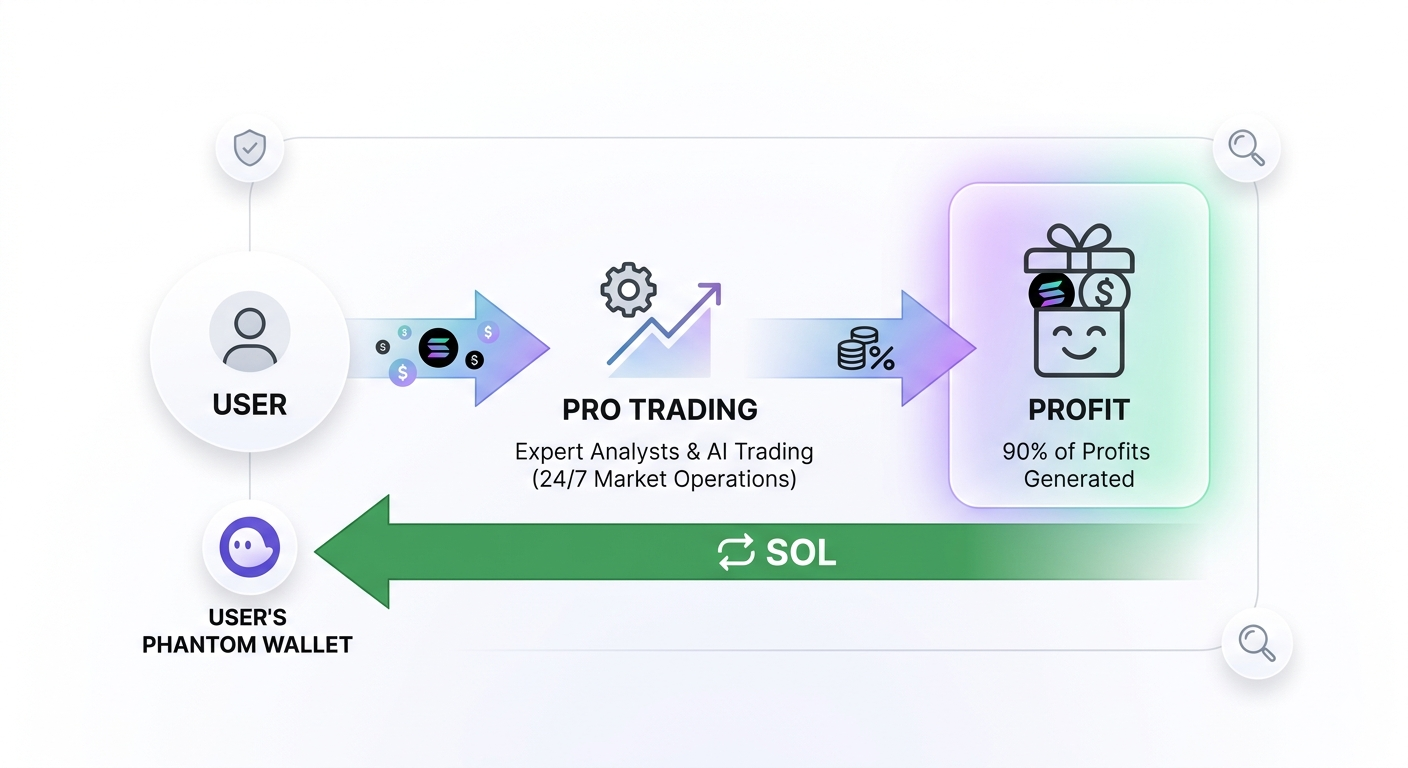
Usually, professional trading is reserved for big banks. We’ve opened that door for everyone with total transparency. Our team does the heavy lifting, and you enjoy 90% of the profits generated. It's safe, automated, and built on math.
How to Get Started
Follow these 4 simple phases to join the DOTX ecosystem.
Phase 01
Setting Up Your Digital Wallet
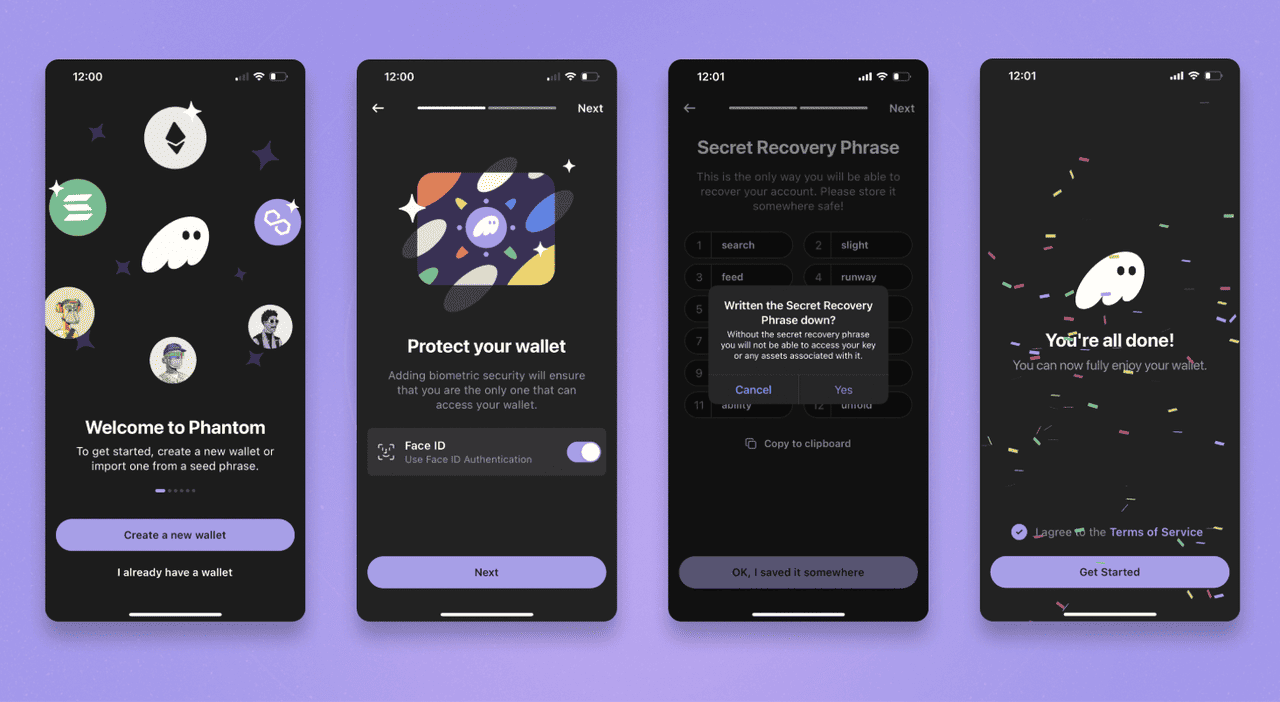
Phantom is a secure "wallet" app used to hold your Solana (SOL) currency. It acts as your passport to the DOTX platform.
PC/Desktop: Visit phantom.app. Download the extension for Chrome or Brave. Once installed, pin it to your browser bar for easy access.
Mobile: Search for "Phantom" on the App Store or Google Play. Ensure you download the official app with the purple ghost icon.
Create Account: Open Phantom and click "Create New Wallet." Set a strong password that you will use to unlock the app daily.
IMPORTANT: Phantom will show you a 12-word "Recovery Phrase." Write this on a physical card and hide it. Never show this to anyone. If you lose your phone, this phrase is the only way to get your money back.
Phase 02
Adding Funds to Your Wallet
To invest in DOTX, you need Solana (SOL). Since you can't buy SOL directly inside Phantom with a bank account in most regions, you use an "Exchange" like Binance or Coinbase.
Sign Up: Create an account on Binance.com or Coinbase.com and complete their identity verification.
Purchase: Buy Solana (SOL) using your Debit Card or Bank Transfer. If you want to invest $100, buy $105 worth of SOL (to cover a few cents in network fees).
Transfer: In your Exchange account, click "Withdraw." Paste your Phantom Wallet Address (found by clicking 'Receive' in your Phantom app).
Confirm: The SOL will arrive in your Phantom wallet in about 60 seconds.
Phase 03
Depositing Capital to DOTX
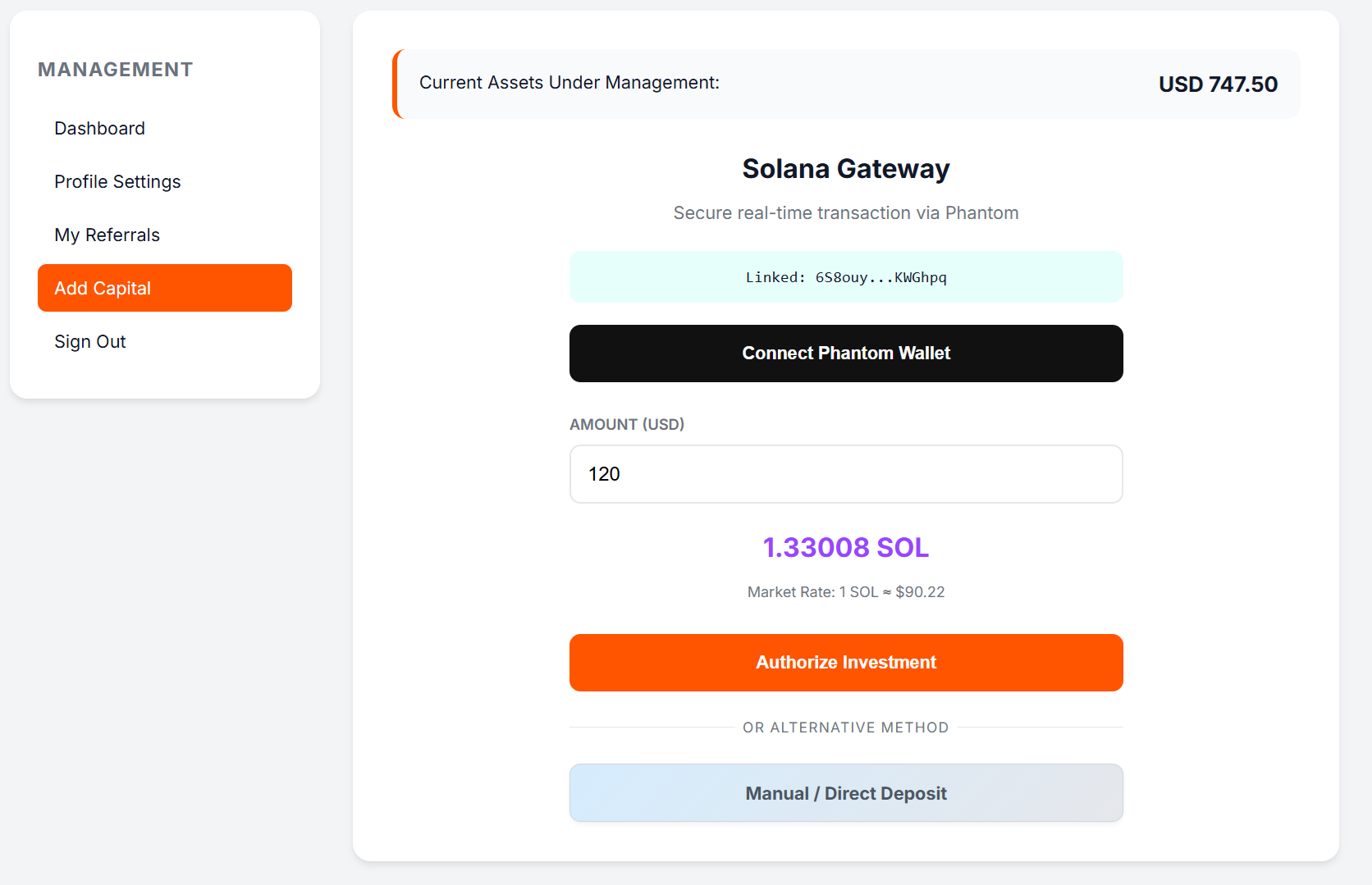
Now that you have SOL in your Phantom wallet, it's time to put it to work. We accept deposits equivalent to your desired USD amount.
Method A: One-Click Deposit (Recommended)
Log in to your DOTX Dashboard. Click "Connect Wallet". A pop-up will appear from Phantom asking for permission. Click "Confirm," and your capital is immediately deployed into our trading system.